
Python heart code: draw a heart with turtle or text
Here are six ways to make a heart with Python, from a few print() lines to a filled red heart drawn with turtle. Every example runs in your browser: press Run, then change the colours, the size or the words.
On this page
A simple heart made of stars
The easiest heart is just print() lines. Each line is one row of the picture, and the spaces at the start push the stars into shape:
  ***   ***
 ***** *****
*************
 ***********
  *********
   *******
    *****
     ***
      *
Swap the * for any other character, like # or ♥, and run it again.
A heart from a maths formula
This version doesn't draw the heart by hand. It checks every spot on a grid against the heart curve, (x² + y² − 1)³ − x²y³ ≤ 0, and prints a star where the spot is inside the heart. Two loops do the work: the outer loop goes down the rows, and the inner loop goes along each row.
           ******       ******
        ************ ************
      *****************************
      *****************************
     *******************************
     *******************************
      *****************************
      *****************************
       ***************************
        *************************
          *********************
            *****************
              *************
                *********
                   ***
a and b shrink the grid down to the size of the formula. Letters on screen are taller than they are wide, which is why b moves in bigger steps than a.
A heart filled with LOVE
Change one line, and the heart is written in words instead of stars. (x - y) % len(word) picks the next letter of the word as you move across, so the letters run diagonally:
           ELOVEL       LOVELO
        OVELOVELOVEL VELOVELOVELO
      LOVELOVELOVELOVELOVELOVELOVEL
      OVELOVELOVELOVELOVELOVELOVELO
     OVELOVELOVELOVELOVELOVELOVELOVE
     VELOVELOVELOVELOVELOVELOVELOVEL
      LOVELOVELOVELOVELOVELOVELOVEL
      OVELOVELOVELOVELOVELOVELOVELO
       ELOVELOVELOVELOVELOVELOVELO
        OVELOVELOVELOVELOVELOVELO
          LOVELOVELOVELOVELOVEL
            ELOVELOVELOVELOVE
              VELOVELOVELOV
                OVELOVELO
                   OVE
Put your own word or name in word. Short words of 3 to 6 letters look best.
A red heart with Python turtle
Turtle draws by moving a pen around the screen. This heart is two curves and two straight lines: turn, go forward, curve around the top, turn, curve again, and come back to the start. begin_fill() and end_fill() colour in everything drawn between them.
pen.color("red", "pink") sets the outline colour, then the fill colour. The curve() function turns 1 degree and moves 1 step, 200 times, which makes the round top of each side. On your own computer, turtle.done() keeps the window open until you close it.
A heart from a square and two half-circles
Here's a neat trick: a heart is a square standing on one corner, with a half-circle on each of its top two sides. Turtle's circle(radius, 180) draws half a circle, so the whole heart is just six moves:
The half-circles have a radius of 75, half the side of the square, so they fit the sides exactly. Make the heart bigger by changing both numbers together: 200 and 100, say.
Lots of hearts, with a function
Once a heart is a function, you can draw as many as you like. This heart() takes a position, a size and a colour, so each call draws a different one:
Add a loop around one call, with range() giving the x position, and you get a whole row of hearts.
Looking for words instead of pictures? See how to write I love you in Python, with 143, binary and Morse code versions.
Play the game version
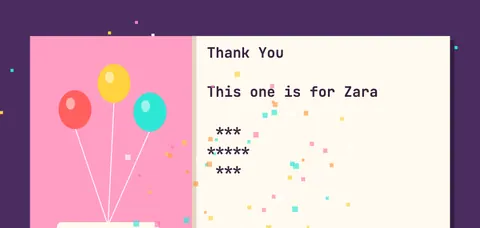
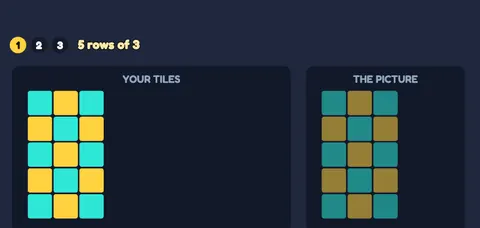
Each of these games teaches one idea from this page, with a short narrated video and six levels to clear.
Questions people ask
How do you make a heart in Python?
Use the turtle module: turn left 140 degrees, go forward, draw two curved tops with small right turns, and come back. Wrap it in begin_fill() and end_fill() to colour it in. Without turtle, print rows of * characters.
Can I draw a heart in Python without turtle?
Yes. Print it row by row with print(), or loop over a grid and print a character wherever the heart formula (x² + y² − 1)³ − x²y³ is 0 or less.
How do I put a name inside the heart?
With turtle, lift the pen, move to the middle with goto(), and use write("Your name", align="center"). In a text heart, set word to the name.
Why does my turtle heart window close straight away?
Add turtle.done() as the last line. It keeps the window open until you close it.
How do I change the colour of the heart?
Use pen.color("outline", "fill"), for example pen.color("purple", "violet"). Any colour name, or a code like "#ff3366", works.
Learn Python with games
Every idea on this page has its own game in the course, with a short video and six levels. The three games in Module 1 are free: no account, nothing to install.
Every idea on this page has its own game in the course. Pick up where you left off.
Play the first game freeContinue the courseMore fun python code
How to write "I love you" in Python
Print "I love you" in Python, repeat it 100 times, and turn it into 143, binary and Morse code. Every example runs in your browser.
Happy birthday code in Python
Happy birthday in Python: a text cake, the song with a loop, a typing effect, candles for any age, and a countdown to your birthday.
More free ways to learn
Practice
Free Python practice online: exercises with answers you check in your browser, plus 79 coding games, one for every beginner topic.
Teach
Free resources for teaching Python to kids and beginners: a Scratch to Python guide, printable worksheets with answers, and a game-based course.
Guides
Short guides on learning Python with games, how long it takes, and where to start.